Issues seen this year:
- Email Bouncing from Simply Voting, affected 2 users (minor)
- Confusion about how to vote. Messaging just says "Vote Online", recommend changing that to "Ballot Arrives by Email from Simply Voting"
- Website recommendations:
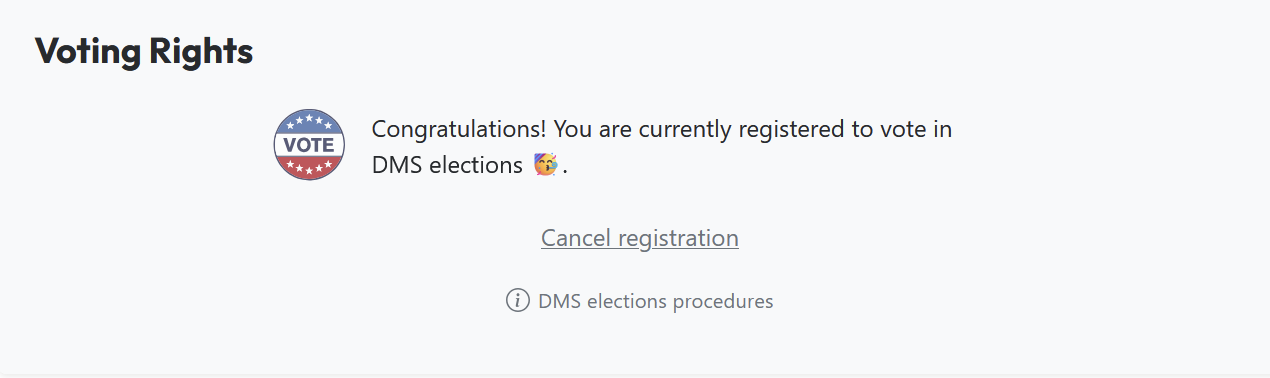
- It makes it too easy to Cancel Registration... recommend making that much harder.
- Recommend showing the member what email address will be used. (Yes, they just used it to log in, but make them see the Address)
- No In Person Voting was allowed this year
- Member suggested using an email list instead of an individual for contact on voting issues. (e.g. Admin@ )

Purpose
Our Bylaws require an annual election of our BoD, this page details the procedures that were used in the most recent election. These procedures should be updated whenever a change is made.
Procedure
Set the date and location of the Annual BoD Election
This date should be selected as soon as is reasonable and the room booked on the Event calendar.
BOD to Set the Schedule, Recommend defining schedule in January, or February at the latest.
- Election Season Opening Message... sets the START DATE (SD)
- Message on Talk, Discord, and Flyers on site
- SD+4 weeks: Statement of Intents Due
- Meet The Candidates Q&A meeting held 2 days after SOI were due
- SD+6 weeks: Last day to request Voting Rights
- Voting begins Online next day.
- SD+8 weeks: Last day to Vote
- We chose a friday this year, with the first brief new BoD meeting to follow immediately afterward.
- After the vote, post results to Talk and Discord
Meet the Candidates Format
The 2 hour meeting for meet the candidates was tightly managed for time.
- Short intro from each candidates
- Questions for Audience. Due to time constraints it 1 question per person, sweeping the room from front to back.
- Minimized Debating. Question, Answer, Move On.
- Short conclusion message from each candidate
- Close of Meeting
Voting Tool used: SimplyVoting.com
- Cost $200
- Configured settings.
- Gather Data with a PowerShell script to extract the AD Group Voting Members
- Extract Data, load into Electors list
- Set up the question
- Nominate all the candidates into the system
## Script to pull list of voting members into CSV for voting# 2026-04-11#
Import-Module ActiveDirectory
$GroupName = "Voting Members"
# Get members and store in variable$members = Get-ADGroupMember -Identity $GroupName -Recursive |Get-ADUser -Property DisplayName, Mail, Title, Department |Select-Object Name, DisplayName, SamAccountName, Mail, Title, Department
# Export to CSV$members | Export-Csv -Path "M:\tjsmith\voting_members.csv" -NoTypeInformation
# Output total count to consoleWrite-Host "Total users exported: $($members.Count)"
Online Voting
Use the VotingMembers.csv file to setup online voting using SimplyVoting.com.
In 2018, SimplyVoting.com cost $200 and was procured by Ken Purcell.
Create Ballot
- This year the ballot had all the candidates in alphabetical order.
- It has been suggested that the ballot be in random order.
- It has been suggested that talk handles and pictures be added to the ballot.
- Print enough ballots for members that didn't vote electronically (registered - electronic votes).
Create Voting Sheet
Use the VotingSheet.ods file, along with the VotingMembers and the SimplyVoting voter report to create the Voting Sheets. Create one blank Voting Sheet for late filers. In 2018, several members applied for voting rights on sight and therefore were not included on the pre-printed sheets. Also, the voting sheets had to be printed from LibreOffice so that one column of names could be inverted, so one name column faces the volunteer, the other faces the walk-up voter.
In Person Voting
- Set up a voting station:
- Location: in a visible location - for transparency - & near the Infrastructure Chair, so they can verify eligibility if needed. In 2018, the station was in the meeting room and the Infrastructure Chair was in the Common Room. The line of voters distracted from the meeting and crowded the aisle.
- Volunteers: need 4, plus Infrastructure Chair. One to oversee Voting Sheets for last names beginning with A-M. Second for N-Z + blank sheet for late filers. A third to collect completed ballots & proxies in an envelope. A fourth to act as runner. Two people must be at the voting station to monitor ballots at all times.
- Materials: manila envelope for completed ballots, tape, pens in solo cup, voting sheets, blank ballots in a manila envelope (to control access), laptop. Signs that say "Voters A-M / Sign In Here", "Voters N-Z + late filers / Sign In Here", and "Return Ballots Here / Voting ends at 9:30pm".
- Table: needs to be long enough to tape down the voter sheets in a line.
- Registration continued during voting, requiring lookup of voting rights throughout the voting process. The member notification letter stated that in-person balloting and registration ended at 9:30pm, but the voting volunteers were told 10pm.
- Newly registered voters were handwritten onto the Voting Sheets.
- Voters and Proxy Voters were checked against the Voting Sheets to see if they had voted already.
- Voters and Proxy Voters signed the Voting Sheets and received a ballot.
- Completed Ballots and Proxies were placed in a large envelope.
Vote Counting
- Candidates were invited to witness the ballot counting or provide a proxy witness. In 2018, we did not notify the candidates of this until the vote count was ready to begin, resulting in a delay.
- Announce over the P.A. system that the vote counting is beginning.
- Vote Counting Station:
- Choose a room with a monitor. In 2018, we used the location of the member meeting, Interactive.
- Use the Vote Counting spreadsheet template. Make a copy. Update with names of candidates in tally column and names of candidate or proxy witnesses. Cast the spreadsheet onto the monitor.
- Print out of the online voting results.
- Volunteers: Need 3. One to check + read + number the ballot, one to type the result into the spreadsheet, one to spread the ballots on a table for inspection.
- Ballots were individually checked, counted and numbered (excessive votes invalidated the ballot, ie 6 votes).
- Ballots were entered into a spreadsheet for live updates of totals and verified.
- Ballots were laid out for candidates to visually verify.
- Ballots were counted and that count compared to the number of in person votes tallied and the number of signatures on the Voting Sheets.
- Online vote totals were added to the spreadsheet.
- The new BoD was announced.
Post Election
Infrastructure Chair stored envelope of ballots in the cabinet in the server room.
Infrastructure Chair created @DallasMakerspace.org emails for the new BoD members and added them to the Admin@/DMSBiz@ email group.
Infrastructure Chair added the following AD rights to the new BoD members:
- Administration
- Board of Directors
- Calendar Admins
- Electrical Room Access
- Financial Reporting
- Google Apps Users
- Honorarium Admins
- MakerManager Admins
- Server Room Access
- WordPress Editors
- Infrastructure Secure Share Access
Post BoD Handover
Infrastructure Chair removes the outgoing BoD members from the Admin@/DMSBiz@ email group.
Infrastructure Chair removes the following AD rights from the outgoing BoD members (unless there is a good reason to keep specific rights):
- Administration
- Board of Directors
- Calendar Admins
- Electrical Room Access
- Financial Reporting
- Google Apps Users
- Honorarium Admins
- MakerManager Admins
- Server Room Access
- WordPress Editors
- Infrastructure Secure Share Access
Files
Media:MembersAddress.zip This file contains a Windows .CMD file that must be run as an admin on a computer on the domain, it creates MembersAddress.csv, which is imported into LOB.com to send letters informing the membership of the BoD election.
Media:VotingMembers.zip This file contains a Windows .CMD file that must be run as an admin on a computer on the domain, it creates VotingMembers.csv, which is imported into the following Libre Office Calc file and is also used by Simply Voting as the list for electronic voting.
Media:VotingSheet.ods This Libre Office 5 Calc file uses the above .CSV file and the voting report from Simply Voting to create the Voter sign in sheet used to verify voters. Libre Office was used because Excel won't let you rotate text 180 degrees in a cell.
